Snowfall: Snow, falling in the lamplight.
A falling snow background for React and the web: flakes in six depths, lit by a lamp, out of focus up close, with a transparent mode to snow over your site, rendered live in WebGPU.
Part of the Free collection for Aperveil 1.0. Public live preview and Color Looks are open. Free Export Kits do not require an account. Purchasing is not available yet.
Color Looks
THE SYSTEM BEHIND THE SURFACE
Inside Snowfall.
Snowfall is snow falling through a lamp-lit night in six depths. Every flake falls at the same real speed, so on screen the far ones are small, sharp and slow and the near ones large, quick and soft. Up close they are crystals: six arms 60° apart with side branches running parallel to the neighboring arms, as ice grows, each turning slowly and tilting as it sways, so it is seen at a slant and flashes when its face meets the lamp. Each flake flutters about once a second in its own phase and, in the frame's exposure, the far ones draw a short streak slanted by the wind. A lamp lights the flakes near it and the haze around it, so the snow is brightest where the light reaches it; under a pale sky, daylight lights it all. The cursor stirs the air and pushes the flakes aside, and the sky can be turned off so the snow falls over your own page.
Snowfall draws falling snow, not a scene: there is no ground, no settling drift and no flake landing on your page's elements. The near crystals share one stellar-dendrite design, varied in their branches, turn and tilt; they are not photographs of real snowflakes.
3.408 ms GPU timestamp median; p95 3.473 ms. 1440x900 @ dpr 1.25; Apple M2 (8-core GPU), Metal driver on macOS Version 26.6.2 (Build 25G83); measured 2026-10-22. This is a recorded headless sample, not a browser FPS or mobile-performance guarantee.
Density
How much snow is falling.
Flake size
Size of the flakes.
Depth of field
How out of focus the nearest and farthest flakes are.
Motion blur
The short streak each flake draws along its fall, as in a photograph.
Color Looks preserve these settings. Open the editor for all 17 controls.
KEEP THE SOURCE. KEEP THE CONTROL.
From preview to your project.
Choose a Look, tune it in the editor, then download the Export Kit. Install the runtime and copy the generated component into your project.
Every control in the editor is a typed prop. Leave a prop out to keep the value you exported; change one and the running shader updates without restarting. Give the surface a size and pass fallback for browsers without WebGPU.
The component is already marked "use client": in Next.js, import it into any page or layout and give its container an explicit size. Keep headings, links and accessible content in HTML above the decorative canvas.
Part of the Free collection for Aperveil 1.0. Public live preview and Color Looks are open. Free Export Kits do not require an account. Purchasing is not available yet.
Open editor & exportUsage example — download Snowfall.tsx from the editor first. This example imports that local file; it is not the shader component itself.
Add it with npx @aperveil/cli add shader snowfall, or download the Export Kit from the editor and copy the component into your project.
Usage example for vue/Snowfall.vue from the Export Kit. Vue 3.5 or newer, Nuxt included: it renders an empty canvas on the server and starts in the browser, so it needs no <ClientOnly>.
Same props and values as the React component.
Usage example for html/aperveil-snowfall.js from the Export Kit. No install and no build step: keep the two files of the kit's html folder together.
Same props and values as the React component.
Download aperveil-shader-snowfall.zip from the editor: Install, then WordPress. WordPress 6.5 or newer: a plugin with a block that holds your own content in front of the shader, and a shortcode for page builders.
The values you choose in the editor are baked into the plugin.
Copy Snowfall.tsx from the editor: Install, then Framer. It opens on the values you chose.
- In Framer, open Assets, then Code, and add a new code file named Snowfall.
- Replace its sample code with your copy and save.
- Drag Snowfall onto the canvas. Its Color Looks and every control are in the property panel.
The same controls as the React component, in Framer's panel. Framer guide
| Prop | Type | Default | What it does |
|---|---|---|---|
| skyTop | `#${string}` | "#070d24ff" | Sky. The night at the top of the frame. Its alpha, with Background opacity, sets how much sky is drawn. Accepts #RRGGBB or #RRGGBBAA. |
| skyBottom | `#${string}` | "#1c2c63" | Horizon. The night toward the bottom of the frame. Accepts #RRGGBB. |
| snowColor | `#${string}` | "#ffffff" | Snow. The color of the flakes. Accepts #RRGGBB. |
| lightColor | `#${string}` | "#ffc97a" | Lamp. The lamp's light, on the flakes near it and in the haze around it. Accepts #RRGGBB. |
| density | number | 0.6 | Density. How much snow is falling. Accepts 0–1, step 0.01. |
| flakeSize | number | 1 | Flake size. Size of the flakes. Accepts 0.3–2.5, step 0.01. |
| blur | number | 1 | Depth of field. How out of focus the nearest and farthest flakes are. Accepts 0–2, step 0.01. |
| streak | number | 0.6 | Motion blur. The short streak each flake draws along its fall, as in a photograph. Accepts 0–3, step 0.01. |
| wind | number | 0.35 | Wind. Sideways drift. Negative blows to the left. Accepts -2–2, step 0.01. |
| sway | number | 1 | Flutter. How far each flake sways as it falls. Accepts 0–2, step 0.01. |
| lightPosition | readonly [number, number] | [0.78, 0.12] | Lamp position. Where the lamp is. Flakes near it are brightest. Accepts x 0–1, y 0–1. |
| glow | number | 1 | Lamp. How strongly the lamp lights the flakes near it. Accepts 0–3, step 0.01. |
| haze | number | 0.5 | Haze. The glow of the lamp in the falling snow. Accepts 0–2, step 0.01. |
| flowSpeed | number | 1 | Speed of the fall. Accepts 0–3, step 0.01. |
| interaction | number | 1 | Stir. How far the cursor pushes the flakes aside. Accepts 0–2, step 0.01. |
| opacity | number | 1 | Opacity of the whole effect over the page. Accepts 0–1, step 0.01. |
| backgroundOpacity | number | 1 | Background opacity. Turn the sky down to snow over your own page. Accepts 0–1, step 0.01. |
| className | string | — | Size and place the surface. The canvas fills this box, so give it a width and a height. |
| style | CSSProperties | — | Inline styles for the surface box. |
| paused | boolean | false | Holds the current frame. Use it for a pause control or for sections scrolled out of view. |
| fallback | ReactNode | null | Shown instead of the canvas without WebGPU. Also shown if rendering fails. A poster image or a CSS gradient works well. |
| onReady | () => void | — | The first frame has been drawn. |
| onError | (error: unknown) => void | — | Rendering failed; the fallback is shown. |
- skyTop · `#${string}` = "#070d24ff"
- Sky. The night at the top of the frame. Its alpha, with Background opacity, sets how much sky is drawn. Accepts #RRGGBB or #RRGGBBAA.
- skyBottom · `#${string}` = "#1c2c63"
- Horizon. The night toward the bottom of the frame. Accepts #RRGGBB.
- snowColor · `#${string}` = "#ffffff"
- Snow. The color of the flakes. Accepts #RRGGBB.
- lightColor · `#${string}` = "#ffc97a"
- Lamp. The lamp's light, on the flakes near it and in the haze around it. Accepts #RRGGBB.
- density · number = 0.6
- Density. How much snow is falling. Accepts 0–1, step 0.01.
- flakeSize · number = 1
- Flake size. Size of the flakes. Accepts 0.3–2.5, step 0.01.
- blur · number = 1
- Depth of field. How out of focus the nearest and farthest flakes are. Accepts 0–2, step 0.01.
- streak · number = 0.6
- Motion blur. The short streak each flake draws along its fall, as in a photograph. Accepts 0–3, step 0.01.
- wind · number = 0.35
- Wind. Sideways drift. Negative blows to the left. Accepts -2–2, step 0.01.
- sway · number = 1
- Flutter. How far each flake sways as it falls. Accepts 0–2, step 0.01.
- lightPosition · readonly [number, number] = [0.78, 0.12]
- Lamp position. Where the lamp is. Flakes near it are brightest. Accepts x 0–1, y 0–1.
- glow · number = 1
- Lamp. How strongly the lamp lights the flakes near it. Accepts 0–3, step 0.01.
- haze · number = 0.5
- Haze. The glow of the lamp in the falling snow. Accepts 0–2, step 0.01.
- flowSpeed · number = 1
- Speed of the fall. Accepts 0–3, step 0.01.
- interaction · number = 1
- Stir. How far the cursor pushes the flakes aside. Accepts 0–2, step 0.01.
- opacity · number = 1
- Opacity of the whole effect over the page. Accepts 0–1, step 0.01.
- backgroundOpacity · number = 1
- Background opacity. Turn the sky down to snow over your own page. Accepts 0–1, step 0.01.
- className · string
- Size and place the surface. The canvas fills this box, so give it a width and a height.
- style · CSSProperties
- Inline styles for the surface box.
- paused · boolean = false
- Holds the current frame. Use it for a pause control or for sections scrolled out of view.
- fallback · ReactNode = null
- Shown instead of the canvas without WebGPU. Also shown if rendering fails. A poster image or a CSS gradient works well.
- onReady · () => void
- The first frame has been drawn.
- onError · (error: unknown) => void
- Rendering failed; the fallback is shown.
Every prop is optional. Numbers are clamped to their range; an invalid value keeps the default.
THE SURFACE IN CONTEXT
Made for a real interface.
Turn a winter sale, a holiday campaign, a ski resort or a seasonal greeting into a scene, or keep your page as it is and let the snow fall over it: with the sky off, only the flakes are drawn.
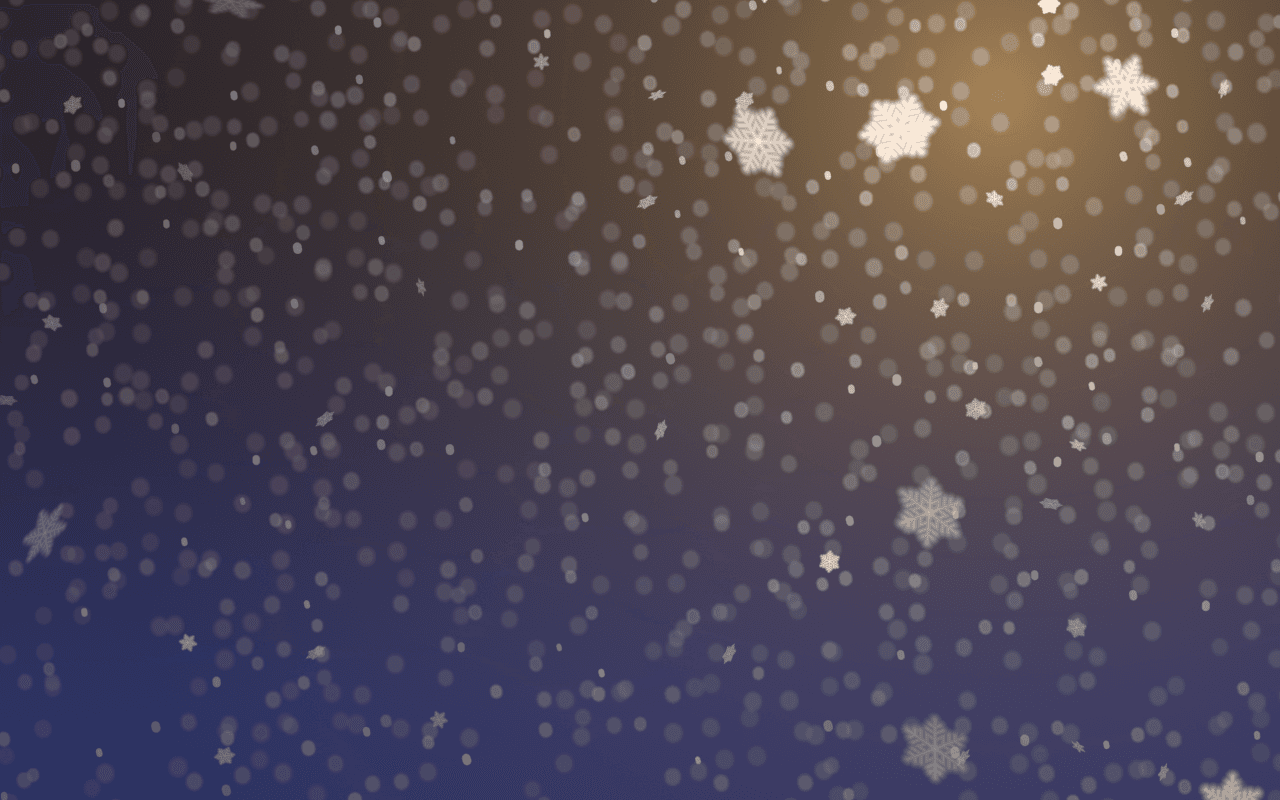
Alpine lodge
First snow at the lodge.
An illustrative mountain-lodge front page under falling snow.
An illustrative layout. Your content stays in HTML; the shader sets the atmosphere.
Try this surface in the editorA FEW USEFUL DETAILS
Before you ship.
What this surface does, where it fits, and where it stops.
ANOTHER WAY TO SEE IT
Keep exploring.

YOUR COLORS. YOUR CONTEXT.