Light Streaks: Light, dragged across the frame.
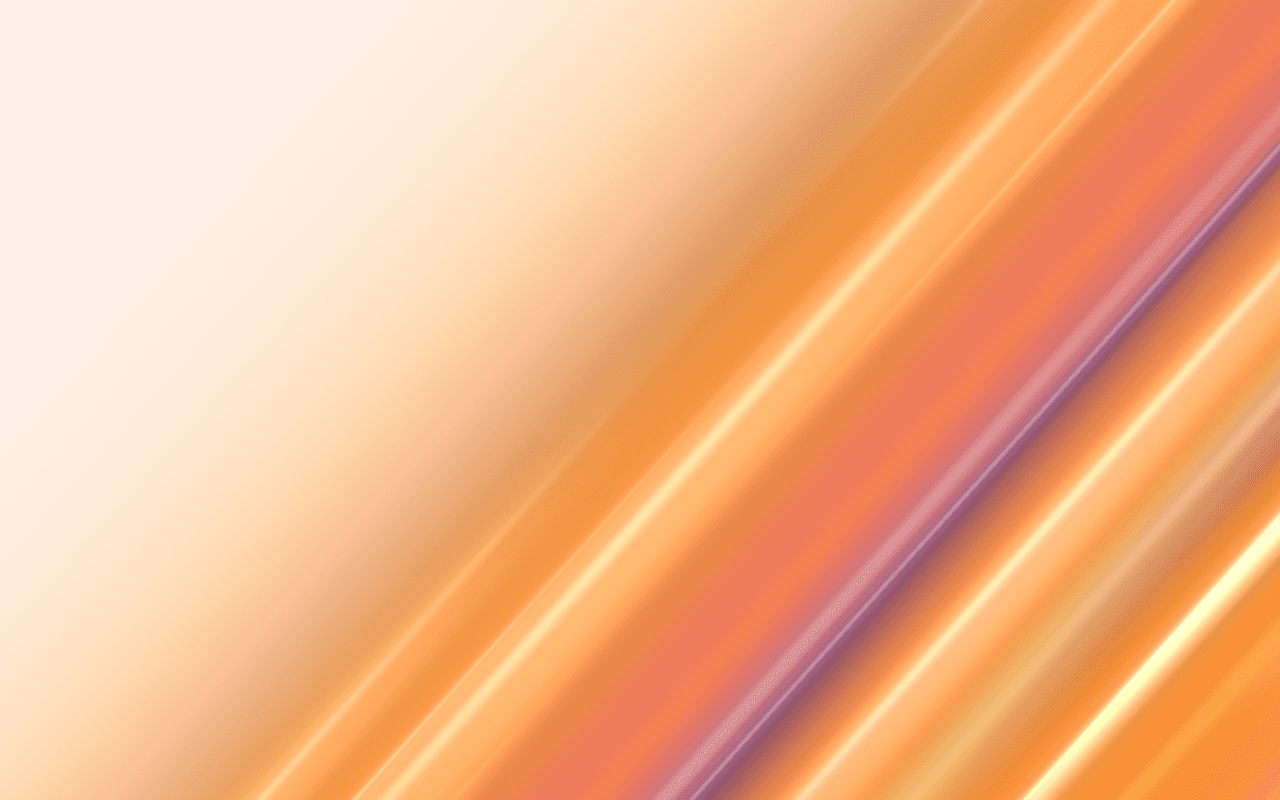
A long-exposure light background for React: glossy rods of light and shade with soft shadows sweep across a pale ground, rendered live in WebGPU.
Part of the Free collection for Aperveil 1.0. Public live preview and Color Looks are open. Free Export Kits do not require an account. Purchasing is not available yet.
Color Looks
THE SYSTEM BEHIND THE SURFACE
Inside Light Streaks.
Light Streaks lays a satin sheet of color along one direction and gathers it on one side of the frame, leaving the other side clear for copy. Across it, streaks lie like rods: rods of light in the sheen color that glow, and rods of shade in the deep color, each lit from the upper left with a fine bright line and laying a soft shadow on the sheet. Every streak brightens and fades along its length, so the light seems dragged through a long exposure. The pointer is a lamp held over the exposure: as it passes, the fine bright lines slide across the rods and the rods of light near it glow brighter.
Light Streaks is drawn, not filmed: it does not blur your own images or video, and its streaks run in one direction at a time. It is not a photograph or a motion-blur pass.
3.539 ms GPU timestamp median; p95 8.323 ms. 1440x900 @ dpr 1.25; Apple M2 (8-core GPU), Metal driver on macOS Version 26.6.2 (Build 25G83); measured 2026-10-18. This is a recorded headless sample, not a browser FPS or mobile-performance guarantee.
Angle
The direction the streaks run, in degrees from horizontal.
Coverage
How much of the frame the colored field fills, from a narrow band at the edge to all of it.
Edge softness
How gently the field fades into the clear ground.
Streaks
How many streaks cross the field.
Color Looks preserve these settings. Open the editor for all 18 controls.
KEEP THE SOURCE. KEEP THE CONTROL.
From preview to your project.
Choose a Look, tune it in the editor, then download the Export Kit. Install the runtime and copy the generated component into your project.
Every control in the editor is a typed prop. Leave a prop out to keep the value you exported; change one and the running shader updates without restarting. Give the surface a size and pass fallback for browsers without WebGPU.
The component is already marked "use client": in Next.js, import it into any page or layout and give its container an explicit size. Keep headings, links and accessible content in HTML above the decorative canvas.
Part of the Free collection for Aperveil 1.0. Public live preview and Color Looks are open. Free Export Kits do not require an account. Purchasing is not available yet.
Open editor & exportUsage example — download LightStreaks.tsx from the editor first. This example imports that local file; it is not the shader component itself.
Add it with npx @aperveil/cli add shader light-streaks, or download the Export Kit from the editor and copy the component into your project.
Usage example for vue/LightStreaks.vue from the Export Kit. Vue 3.5 or newer, Nuxt included: it renders an empty canvas on the server and starts in the browser, so it needs no <ClientOnly>.
Same props and values as the React component.
Usage example for html/aperveil-light-streaks.js from the Export Kit. No install and no build step: keep the two files of the kit's html folder together.
Same props and values as the React component.
Download aperveil-shader-light-streaks.zip from the editor: Install, then WordPress. WordPress 6.5 or newer: a plugin with a block that holds your own content in front of the shader, and a shortcode for page builders.
The values you choose in the editor are baked into the plugin.
Copy LightStreaks.tsx from the editor: Install, then Framer. It opens on the values you chose.
- In Framer, open Assets, then Code, and add a new code file named LightStreaks.
- Replace its sample code with your copy and save.
- Drag Light Streaks onto the canvas. Its Color Looks and every control are in the property panel.
The same controls as the React component, in Framer's panel. Framer guide
| Prop | Type | Default | What it does |
|---|---|---|---|
| colorA | `#${string}` | "#ffc964" | First color. The palest streaks, at the edge of the field. Accepts #RRGGBB. |
| colorB | `#${string}` | "#f98f30" | Second color. The streaks further in. Accepts #RRGGBB. |
| colorC | `#${string}` | "#ee7a5c" | Third color. Deeper still. Accepts #RRGGBB. |
| colorD | `#${string}` | "#8e5a88" | Deep color. The darkest bands, deep in the field. Accepts #RRGGBB. |
| sheenColor | `#${string}` | "#fff4dc" | Sheen. The fine bright lines of the exposure. Accepts #RRGGBB. |
| background | `#${string}` | "#fdf0e7" | Background. The clear ground the streaks fade into. Accepts #RRGGBB. |
| angle | number | 48 | Angle. The direction the streaks run, in degrees from horizontal. Accepts -90–90, step 1. |
| coverage | number | 0.74 | Coverage. How much of the frame the colored field fills, from a narrow band at the edge to all of it. Accepts 0–1, step 0.01. |
| edgeSoftness | number | 0.45 | Edge softness. How gently the field fades into the clear ground. Accepts 0.02–1, step 0.01. |
| streaks | number | 18 | Streaks. How many streaks cross the field. Accepts 4–20, step 1. |
| width | number | 1 | Width. How broad the streaks are. Accepts 0.3–3, step 0.01. |
| softness | number | 0.6 | Blur. How motion-blurred the streaks are across their width. Accepts 0–1, step 0.01. |
| sheen | number | 0.8 | Sheen. How bright the fine lines of light are. Accepts 0–2, step 0.01. |
| flowSpeed | number | 1 | Speed. How fast the light travels along the streaks. Accepts 0–3, step 0.01. |
| drift | number | 1 | Drift. How far the streaks drift across the frame. Accepts 0–2, step 0.01. |
| interaction | number | 0.8 | Pointer light. How strongly the pointer lights the exposure, like a lamp held over it: the fine lines slide across the rods as it passes and the rods of light near it glow. Accepts 0–1, step 0.01. |
| opacity | number | 1 | Opacity of the whole effect, background included. It is applied inside the shader; do not fade the element again in CSS. Accepts 0–1, step 0.01. |
| backgroundOpacity | number | 1 | Background opacity. Fade the background independently for transparent overlays. Accepts 0–1, step 0.01. |
| className | string | — | Size and place the surface. The canvas fills this box, so give it a width and a height. |
| style | CSSProperties | — | Inline styles for the surface box. |
| paused | boolean | false | Holds the current frame. Use it for a pause control or for sections scrolled out of view. |
| fallback | ReactNode | null | Shown instead of the canvas without WebGPU. Also shown if rendering fails. A poster image or a CSS gradient works well. |
| onReady | () => void | — | The first frame has been drawn. |
| onError | (error: unknown) => void | — | Rendering failed; the fallback is shown. |
- colorA · `#${string}` = "#ffc964"
- First color. The palest streaks, at the edge of the field. Accepts #RRGGBB.
- colorB · `#${string}` = "#f98f30"
- Second color. The streaks further in. Accepts #RRGGBB.
- colorC · `#${string}` = "#ee7a5c"
- Third color. Deeper still. Accepts #RRGGBB.
- colorD · `#${string}` = "#8e5a88"
- Deep color. The darkest bands, deep in the field. Accepts #RRGGBB.
- sheenColor · `#${string}` = "#fff4dc"
- Sheen. The fine bright lines of the exposure. Accepts #RRGGBB.
- background · `#${string}` = "#fdf0e7"
- Background. The clear ground the streaks fade into. Accepts #RRGGBB.
- angle · number = 48
- Angle. The direction the streaks run, in degrees from horizontal. Accepts -90–90, step 1.
- coverage · number = 0.74
- Coverage. How much of the frame the colored field fills, from a narrow band at the edge to all of it. Accepts 0–1, step 0.01.
- edgeSoftness · number = 0.45
- Edge softness. How gently the field fades into the clear ground. Accepts 0.02–1, step 0.01.
- streaks · number = 18
- Streaks. How many streaks cross the field. Accepts 4–20, step 1.
- width · number = 1
- Width. How broad the streaks are. Accepts 0.3–3, step 0.01.
- softness · number = 0.6
- Blur. How motion-blurred the streaks are across their width. Accepts 0–1, step 0.01.
- sheen · number = 0.8
- Sheen. How bright the fine lines of light are. Accepts 0–2, step 0.01.
- flowSpeed · number = 1
- Speed. How fast the light travels along the streaks. Accepts 0–3, step 0.01.
- drift · number = 1
- Drift. How far the streaks drift across the frame. Accepts 0–2, step 0.01.
- interaction · number = 0.8
- Pointer light. How strongly the pointer lights the exposure, like a lamp held over it: the fine lines slide across the rods as it passes and the rods of light near it glow. Accepts 0–1, step 0.01.
- opacity · number = 1
- Opacity of the whole effect, background included. It is applied inside the shader; do not fade the element again in CSS. Accepts 0–1, step 0.01.
- backgroundOpacity · number = 1
- Background opacity. Fade the background independently for transparent overlays. Accepts 0–1, step 0.01.
- className · string
- Size and place the surface. The canvas fills this box, so give it a width and a height.
- style · CSSProperties
- Inline styles for the surface box.
- paused · boolean = false
- Holds the current frame. Use it for a pause control or for sections scrolled out of view.
- fallback · ReactNode = null
- Shown instead of the canvas without WebGPU. Also shown if rendering fails. A poster image or a CSS gradient works well.
- onReady · () => void
- The first frame has been drawn.
- onError · (error: unknown) => void
- Rendering failed; the fallback is shown.
Every prop is optional. Numbers are clamped to their range; an invalid value keeps the default.
THE SURFACE IN CONTEXT
Made for a real interface.
Open a product launch, a SaaS hero or a portfolio on a pale ground with energy along one side: the streaks gather where you set the field, and the clear side holds a heading and a call to action.
Architectural lighting
Spaces drawn in light.
An illustrative studio front page with long-exposure light gathered along one side of the hero.
An illustrative layout. Your content stays in HTML; the shader sets the atmosphere.
Try this surface in the editorA FEW USEFUL DETAILS
Before you ship.
What this surface does, where it fits, and where it stops.
ANOTHER WAY TO SEE IT
Keep exploring.


YOUR COLORS. YOUR CONTEXT.