Iris Satin: Satin that changes as it turns.
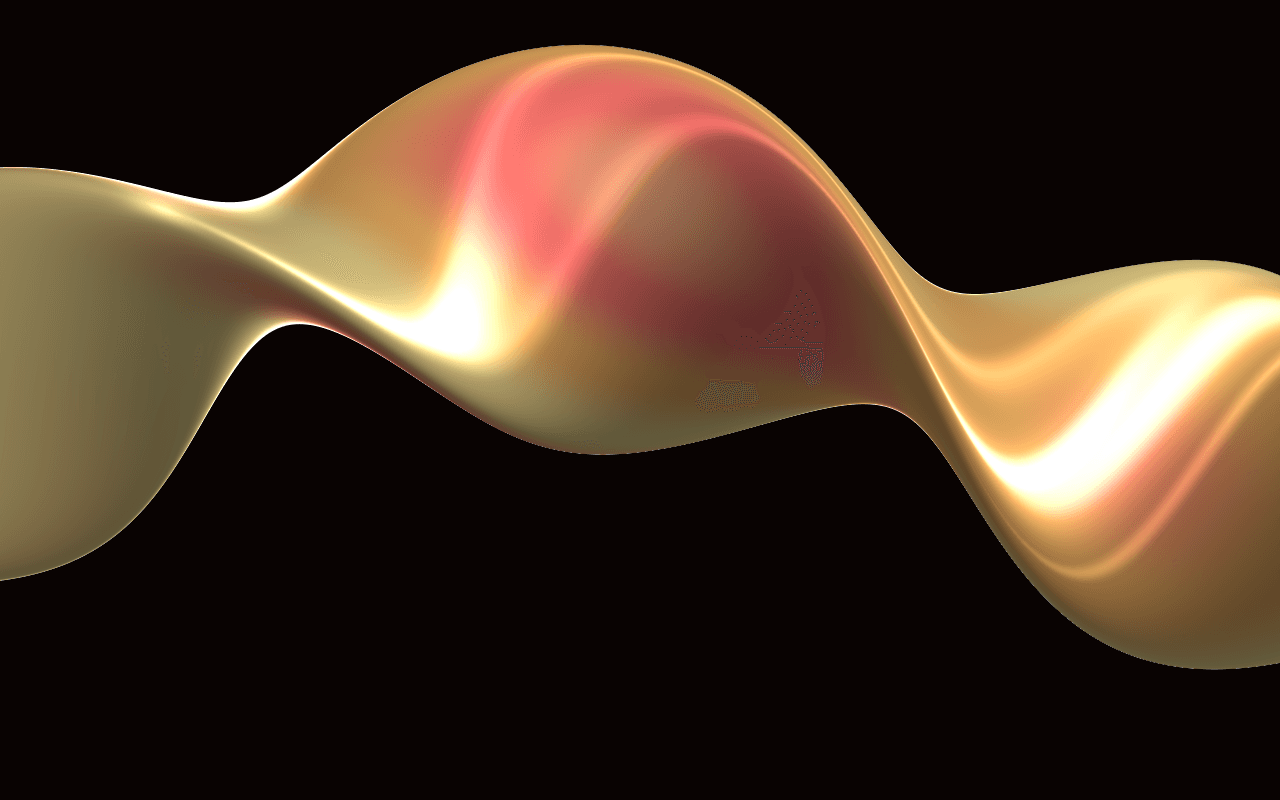
A WebGPU ribbon of iridescent satin for React: it twists round itself across a dark frame, its color walking through a thin film's colors as it turns.
Part of Aperveil Shaders and Aperveil Pro · Coming soon. The live demo is open; editing and downloads open in a later release. Free shaders and blocks are available now.
Color Looks
THE SYSTEM BEHIND THE SURFACE
Inside Iris Satin.
Iris Satin winds one wide ribbon of glossy satin across a dark frame, twisting round itself as it goes: broad and lit where it turns its face to you, a fine bright line where it twists edge-on, the folds behind softly out of focus. Its surface carries a thin film over a pale, pearly base, so with every turn its color walks through your three film colors, as oil on water or a beetle's wing does, and the film's thickness varies a little along the cloth. A row of softboxes is mirrored in its gloss, which grows toward the edges and burns white along the tightest turns. The pointer twists it.
Iris Satin draws one ribbon of its own; it is not a cloth simulation and does not wrap your content or images.
4.784 ms GPU timestamp median; p95 5.505 ms. 1440x900 @ dpr 1.25; Apple M2 (8-core GPU), Metal driver on macOS Version 26.6.2 (Build 25G83); measured 2026-10-20. This is a recorded headless sample, not a browser FPS or mobile-performance guarantee.
Width
How wide the ribbon is, against the frame's height.
Twist
How many half turns the ribbon twists round itself along a frame's height of its length.
Coil
How far the ribbon winds round a spiral as it crosses the frame.
Wave
How far the ribbon rises and falls as it crosses the frame.
Color Looks preserve these settings. Open the editor for all 20 controls.
THE SURFACE IN CONTEXT
Made for a real interface.
Give a beauty, fashion or jewellery launch a single luminous accent: the ribbon across a dark hero, the words in the space it leaves.
The evening edit
Every turn, a new color.
An illustrative brand page with the satin ribbon behind the headline.
An illustrative layout. Your content stays in HTML; the shader sets the atmosphere.
Try this surface in the editorAPERVEIL PRO
Coming soon.
The live demo is open above and in the editor. Editing its settings and downloading it open with Aperveil Pro in a later release. Free shaders and blocks are available now.
Explore shadersA FEW USEFUL DETAILS
Before you ship.
What this surface does, where it fits, and where it stops.
ANOTHER WAY TO SEE IT
Keep exploring.
YOUR COLORS. YOUR CONTEXT.